How AI Wedding Planning Works: Complete Guide for Non-Tech Couples
Confused about AI wedding planning? This step-by-step guide explains exactly how AI finds vendors, sends emails, and manages your planning—in plain English.
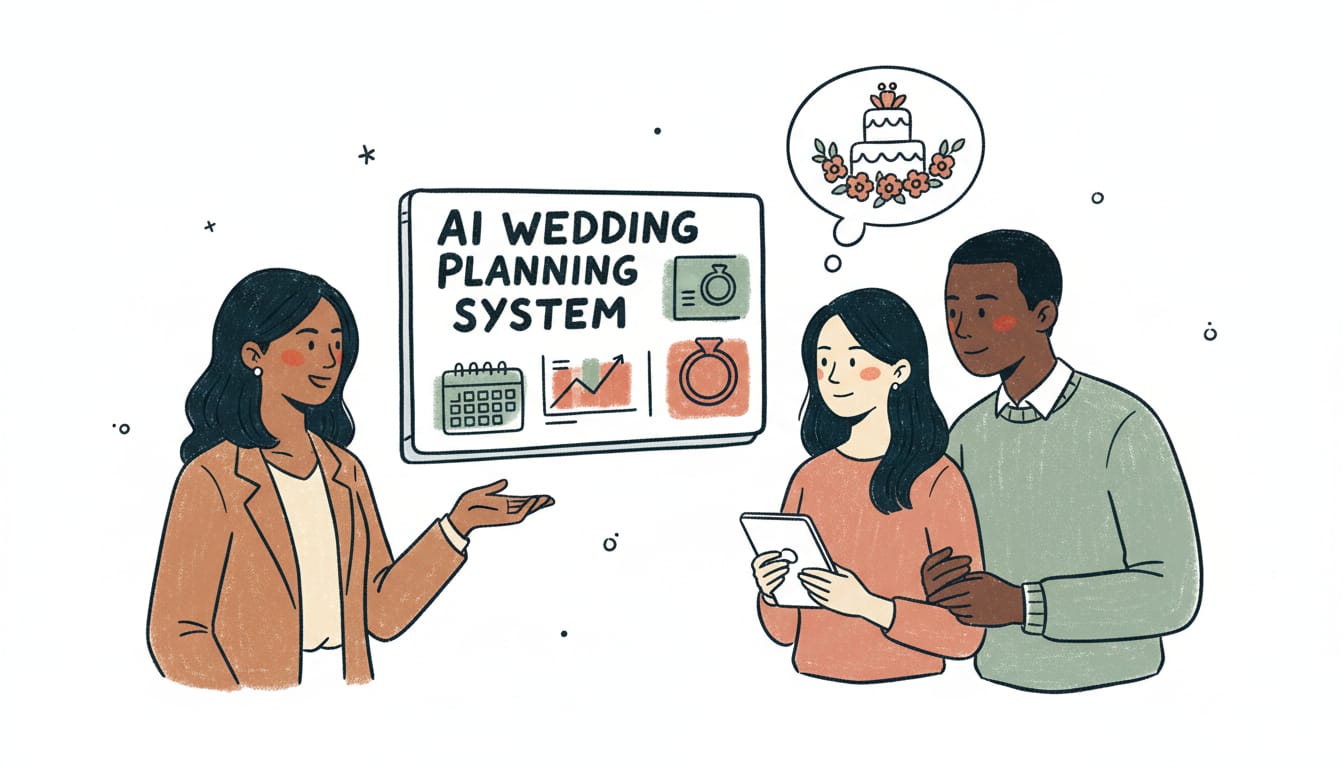
You've heard AI can "help plan your wedding," but what does that actually mean?
Does a robot choose your venue? Does an algorithm pick your dress? Are you letting ChatGPT plan the most important day of your life?
No. Here's what really happens:
AI handles the tedious, time-consuming tasks (researching vendors, sending inquiry emails, tracking responses, comparing quotes) so you can focus on the fun decisions (choosing your perfect photographer, designing your florals, tasting cakes).
Here's exactly how it works—step by step, with zero tech jargon.
Table of Contents
- What AI Wedding Planning Actually Means
- Step-by-Step: How AI Plans Your Wedding
- What AI Handles vs What You Control
- How AI Matches You With Vendors
- The Email Generation Process
- Common Misconceptions
- FAQ
What AI Wedding Planning Actually Means
Let's clear up the confusion first.
What AI Wedding Planning IS:
Automated vendor research and discovery
- AI searches the vendors in your location instead of you manually Googling for hours
- Filters by your budget, style, availability, and preferences
- Surfaces vendors you'd never find through traditional searches
Personalized vendor outreach
- AI generates and sends inquiry emails to vendors on your behalf
- Includes all necessary information (wedding date, location, budget, specific questions)
- Tracks responses and sends follow-ups if vendors don't respond
Organization and logistics management
- Centralizes all vendor communication in one inbox
- Generates timelines based on your wedding date
- Tracks deadlines, payments, and vendor deliverables
- Compares quotes side-by-side
Data-driven recommendations
- Analyzes vendor portfolios, reviews, and pricing to score matches
- Identifies budget-friendly options with high quality
- Flags potential red flags in contracts or vendor history
What AI Wedding Planning IS NOT:
Making decisions for you
- AI shows you options, you choose which vendors to book
- You control budget allocation, style preferences, and priorities
- Final decisions are always yours
Replacing human creativity
- AI can't design your color palette or aesthetic vision
- Can't provide emotional support or navigate family dynamics
- Doesn't make subjective creative calls
Being your day-of coordinator
- AI helps you plan your wedding
- You still need a human coordinator to execute it on the day
Generating fake or generic content
- AI personalizes based on your wedding details
- Uses your actual preferences, not generic templates
- Vendors receive legitimate, specific inquiries (not obvious AI spam)
Bottom line: AI is a tool that automates the tedious hours of vendor research and outreach so you can spend your time on decisions that matter.
Step-by-Step: How AI Plans Your Wedding
Here's exactly what happens when you use an AI wedding planning platform like Everly.
Step 1: Create Your Wedding Profile (5-10 minutes)
What you do:
- Enter basic wedding details: date, location, guest count
- Set your total budget and how much you want to spend per vendor category
- Choose style preferences (modern, rustic, classic, boho, etc.)
- Indicate priorities (what matters most: photography, food, venue, etc.)
What the AI does with this information:
- Creates a profile that guides all vendor recommendations
- Calculates suggested budget allocations based on your priorities
- Identifies vendor categories you need (photographer, caterer, florist, etc.)
- Sets up a personalized planning timeline based on your wedding date
Example input:
- Wedding date: September 20, 2025
- Location: Portland, OR
- Guest count: 120
- Total budget: $30,000
- Style: Modern with natural elements
- Top priorities: Photography, food quality
AI output:
- Suggested photography budget: $4,200 (14% of total, higher due to stated priority)
- Suggested catering budget: $7,800 (26%, higher due to food priority)
- Timeline: Recommends booking venue by January 2025, photographer by February, etc.
- Style profile: Matches you with vendors tagged as "modern," "contemporary," "minimalist," "natural," "organic"
Step 2: AI Searches and Analyzes Vendors (Instant)
What you do: Click "Find Photographers" (or any vendor category)
What the AI does in the background:
- Searches its vendor database
- Filters by your requirements:
- Located in Portland, OR or serving Portland
- Available on September 20, 2025
- Pricing within your photography budget ($3,200-$4,800)
- Style tags match "modern" and "natural"
- Analyzes each matching vendor:
- Portfolio review: Does their visual style align with your preferences?
- Review sentiment: What are couples saying in reviews?
- Pricing transparency: Do they provide clear quotes?
- Response rate: How quickly do they typically respond to inquiries?
- Scores and ranks vendors based on fit with your profile
AI analysis you'd never do manually:
- AI can analyze 500 vendor portfolios in seconds (would take you 40+ hours)
- Reads and categorizes reviews to identify patterns
- Compares pricing across all vendors to identify value opportunities
- Checks availability across hundreds of calendars simultaneously
What you see: A list of 10-15 top-matched vendors with:
- Portfolio highlights (3-5 representative images)
- Style alignment score (e.g., "92% match")
- Price range
- Recent client review excerpt
- Availability status
Step 3: Select Vendors to Contact (5 minutes)
What you do:
- Review the AI's top 10-15 recommendations
- Click through to see full portfolios and reviews
- Select 3-5 vendors you want to contact
Pro tip: Contact 3-5 vendors per category to ensure you have options without overwhelming yourself.
Step 4: AI Generates Personalized Inquiry Emails (Automated)
This is where AI really shines.
What traditional manual process looks like:
- You spend 20-30 minutes per vendor crafting an email
- Often forget to include critical details (budget, guest count, specific questions)
- Send generic inquiries that vendors deprioritize or ignore
- Track responses manually across email, website forms, and DMs
What AI does:
-
Generates a personalized inquiry for each vendor using:
- Your wedding details (date, location, guest count)
- Your budget for this category
- Vendor-specific questions based on their services
- Professional tone and structure that gets responses
-
Includes all essential information vendors need:
- Wedding date and backup dates (if applicable)
- Venue location
- Guest count
- Budget range for this category
- Specific services you're interested in
- Your contact information
-
Customizes for each vendor's offerings:
- References specific packages you're interested in
- Asks relevant questions about their services
- Mentions portfolio aspects that caught your attention
Example AI-generated email to a photographer:
Subject: Photography Inquiry for September 20, 2025 Wedding in Portland
Hi Sarah,
We're getting married on Saturday, September 20, 2025 at The Evergreen in Portland, OR with approximately 120 guests. We came across your portfolio and love your modern, natural style—especially the way you capture candid moments during outdoor ceremonies.
We've allocated $3,800-$4,500 for photography and are interested in your 10-hour collection with second shooter. A few questions:
- Do you have availability for our date?
- What's included in your 10-hour package (second shooter, engagement session, albums)?
- How many edited images do couples typically receive?
- What is your timeline for delivering final images?
We're also considering adding an engagement session if that's available as an add-on or included in packages.
Looking forward to hearing from you!
Best, Emma & David [contact information]
Why this email gets replies:
- Professional, complete, and specific
- Includes all information vendor needs to respond with accurate quote
- Shows genuine interest in vendor's specific work
- Asks clear, answerable questions
- Includes budget so vendor can assess fit
What you do: Review the AI-generated email (optional), make any tweaks, and approve sending
What happens: AI sends the email and tracks it in your centralized inbox
Step 5: AI Tracks Responses and Manages Follow-Ups (Automated)
What the AI does:
- Monitors vendor responses
- Organizes all replies in your centralized inbox (no digging through personal email)
- Automatically sends polite follow-ups if vendors don't respond within 3-4 business days
- Flags vendors who have responded with quotes vs. those who need follow-up
- Categorizes responses: "Interested and available," "Booked," "Over budget," "Needs more info"
What you do:
- Log into your dashboard and see all vendor responses in one place
- Read vendor quotes and replies
- Respond to vendors you're interested in to schedule consultations
Step 6: Compare Quotes and Book Vendors (AI-Assisted)
What the AI does:
- Organizes all vendor quotes in a side-by-side comparison view
- Highlights what's included vs. not included in each package
- Calculates "cost per value" metrics (e.g., cost per hour, cost per delivered item)
- Flags potential red flags in pricing or contract terms
Example: Comparing 3 photographer quotes
AI presents:
| Vendor | Total Cost | Hours | Second Shooter | Images | Engagement | Album | Cost/Hour |
|---|---|---|---|---|---|---|---|
| Sarah | $4,200 | 10 | 8 hours | 600+ | Included | Add-on ($600) | $420 |
| Mike | $3,800 | 8 | 6 hours | 500+ | Add-on ($400) | No | $475 |
| Lisa | $4,500 | 10 | Full time | 700+ | Included | Included | $450 |
AI insight: "Lisa's package includes $1,200 in extras (engagement + album). If you want those, Lisa is the best value."
What you do:
- Review comparison
- Schedule consultation calls with your top 2-3 choices
- Make final decision and book your vendor
AI helps track:
- Payment deadlines
- Contract key dates
- Vendor deliverable timelines
Step 7: Ongoing Planning Management (AI + You)
For the rest of your planning:
AI manages:
- Planning timeline and reminders ("Book florist by April 2025")
- Vendor communication history and contracts
- Budget tracking across categories
- Checklist progression
You handle:
- Attending vendor meetings and tastings
- Making final creative decisions
- Communicating directly with booked vendors for details
- Enjoying the planning process without drowning in logistics
What AI Handles vs What You Control
What AI Handles (The Tedious Stuff)
Vendor research and discovery:
- Searching across thousands of vendors
- Filtering by budget, style, and availability
- Analyzing portfolios and reviews
- Identifying best matches
Outreach and coordination:
- Sending initial inquiry emails
- Tracking responses
- Sending follow-ups
- Organizing communication
Logistics and organization:
- Timeline generation
- Checklist management
- Deadline tracking
- Quote comparison
Time saved: The bulk of the manual research and administrative work
What You Control (The Fun Stuff)
All decisions:
- Which vendors to contact
- Which vendors to book
- Budget allocation priorities
- Design and aesthetic choices
Personal interactions:
- Consultation calls with vendors
- Tastings and venue tours
- Creative collaboration
- Negotiating contracts
The experience:
- How involved you want to be
- When to make decisions
- What matters most to you
Bottom line: AI is your assistant, not your decision-maker. You're still planning your wedding—just without the busywork.
How AI Vendor Matching Works: The Algorithm
Curious how AI actually "knows" which vendors to recommend? Here's the algorithm breakdown (simplified).
Inputs: What AI Considers
-
Your explicit preferences:
- Budget for this category
- Date and location
- Style preferences
- Guest count
- Priority level
-
Vendor data:
- Availability calendar
- Pricing ranges
- Portfolio images (analyzed using computer vision)
- Style tags (modern, rustic, classic, etc.)
-
Match quality factors:
- Budget alignment
- Style alignment
- Availability
- Geographic proximity
The Scoring Algorithm
AI assigns each vendor a "match score" (0-100%) based on weighted factors:
Illustrative example for photographer matching (made-up numbers):
-
Budget fit (40% weight):
- Your budget: $3,500-$4,500
- Vendor's pricing: $4,000-$4,800
- Score: 85% (some overlap but slightly high)
-
Style alignment (35% weight):
- Your preference: Modern, natural, candid
- Vendor's portfolio: Analyzed for modern composition, outdoor shots, candid moments
- Score: 92% (strong visual style match)
-
Availability (25% weight):
- Your date: September 20, 2025
- Vendor calendar: Available
- Score: 100%
Overall match score: (85×0.4) + (92×0.35) + (100×0.25) = 91.2% match
This vendor would appear near the top of your recommendations.
How AI "Learns" Your Preferences
As you interact with the platform:
- Initial preferences: Set during profile creation
- Behavioral signals: Which vendor portfolios you spend time viewing, which you dismiss quickly
- Explicit feedback: Vendors you select to contact, vendors you reject
- Booking patterns: Which vendor you ultimately book tells AI what mattered most
AI adjusts future recommendations based on these signals.
Example: You said you wanted "modern" style but spent the most time viewing photographers with "bohemian" vibes and booked a boho photographer. AI learns you prefer boho aesthetics and adjusts florist/venue recommendations accordingly.
How AI Writes Vendor Inquiry Emails
One of the most valuable AI features is generating professional, personalized inquiry emails. Here's how it works.
The Email Generation Process
Step 1: Template selection
- AI selects appropriate template based on vendor category (photographer email ≠ caterer email)
Step 2: Personalization
- Inserts your wedding details: date, location, guest count
- Adds your budget for this category
- Includes vendor-specific references (portfolio mentions, service packages)
Step 3: Question generation
- AI identifies relevant questions based on vendor's offerings
- Ensures you ask about critical details (hours, deliverables, inclusions)
Step 4: Tone optimization
- Professional but friendly
- Complete but concise
- Confident (not desperate or apologetic)
Example: Before and After AI
Typical couple's manual email (often gets ignored):
"Hi, we're getting married next year and saw your photography. What are your prices? Thanks!"
Problems:
- Missing date, location, guest count
- No budget mentioned
- Vague timeline ("next year")
- No specific questions
- Generic (could be sent to anyone)
AI-generated email (complete and specific):
Subject: Photography Inquiry for June 14, 2025 Wedding in Asheville
Hi Jordan,
We're getting married Saturday, June 14, 2025 at Willow Creek Barn in Asheville, NC with 120 guests. We discovered your portfolio through [source] and love your documentary-style approach—especially your use of natural light in outdoor settings.
Our photography budget is $3,500-$4,500 and we're interested in your 8-hour collection with second shooter. A few questions:
- Do you have availability for our date?
- What's included in your 8-hour package?
- How many edited images do couples typically receive?
- Do you offer engagement sessions, and are they included or available as an add-on?
We're currently reaching out to our top three photographer choices and hope to book by the end of this month.
Looking forward to hearing from you!
Best, Sarah & Mike [contact details]
Why this works:
- Includes all essential information upfront
- Shows genuine interest in vendor's specific work
- Clear budget so vendor can assess fit
- Specific, answerable questions
- Timeline shows you're serious
Common Misconceptions About AI Wedding Planning
Misconception #1: "AI is Impersonal"
Reality: AI makes planning more personal because you're making all decisions yourself instead of deferring to a planner's preferred vendors.
AI doesn't choose for you—it shows you options that actually match your preferences. You decide.
Misconception #2: "Vendors Will Know It's AI and Ignore My Inquiry"
Reality: Vendors can't tell (and don't care).
AI-generated emails include all the information vendors need in a professional format. They actually get better responses than most manual inquiries because they're complete and well-structured.
Professional vendors care about: Do you have a real wedding? Is their date available? Is budget aligned? AI ensures all these details are included.
Misconception #3: "AI Will Send Generic Mass Emails"
Reality: Every email is personalized to:
- Your specific wedding details
- That vendor's specific offerings
- Your budget and preferences
AI doesn't send the same email to every photographer. It customizes for each vendor based on their packages, style, and services.
Misconception #4: "I'll Lose Control of My Wedding Planning"
Reality: You have more control with AI because you see all options and make all decisions.
Traditional planners filter options before you see them (based on their network and commissions). AI shows you the full landscape, you choose.
Misconception #5: "AI Can't Handle My Unique Wedding"
Reality: AI handles uniqueness better than humans because it can filter a whole vendor catalog for exact matches.
Planning a micro-wedding with 30 guests? Vegan reception? LGBTQ+ friendly vendors? Non-traditional venue? AI filters for exactly what you need.
Misconception #6: "AI Wedding Planning Is Only for Tech People"
Reality: AI platforms are designed for non-tech users. If you can use email and online shopping, you can use AI wedding planning.
No coding required. No complex setup. Just answer questions about your wedding, and the AI does the rest.
Common Questions About How AI Wedding Planning Works
Does AI actually write the emails, or do I have to?
AI generates complete, personalized emails for you. You can review and edit them before sending, or send them as-is, since AI includes all necessary details in a professional format.
Can I still email vendors directly if I want to?
Yes. AI is a tool, not a requirement. You can use AI to find vendors and then contact them however you prefer. A common pattern: use AI for initial outreach (saves time), then communicate directly with vendors they're interested in booking.
How does AI know which vendors are good quality?
AI analyzes multiple data points: years in business, number of weddings completed, portfolio quality, review ratings, client feedback sentiment, response reliability, and pricing transparency. It doesn't just show the cheapest or most expensive—it shows the best fit for your criteria.
Will vendors charge me more because they know I'm using AI?
No. Vendors don't know you're using AI (emails come from you), and professional vendors have set pricing regardless of how you found them. In fact, AI often helps you find budget-friendly vendors who don't pay for advertising.
What if the AI recommends a vendor I don't like?
You're not obligated to contact any AI recommendation. The AI shows you options based on your stated preferences, but you choose who to reach out to. If the recommendations don't feel right, you can adjust your preferences and get new matches.
Can AI help with creative decisions like colors and design?
AI can show you examples and trends, but it can't make subjective creative decisions for you. Use AI for logistics (finding vendors, organizing communication) and rely on your own taste (or hire a designer) for creative vision.
How accurate is the AI matching? Will I waste time on bad recommendations?
AI matching accuracy improves as you interact with the platform. Initial recommendations are based on your stated preferences. As you view portfolios, select vendors, and provide feedback, AI learns your actual taste and refines future recommendations.
What happens if an AI-recommended vendor doesn't work out?
The same thing that happens with any vendor: you move on to another option. AI shows you 10-15 matches per category, so you always have backup choices. The platform tracks which vendors responded, who's still available, and who's within budget.
Do I need AI for the entire planning process, or just vendor search?
Use AI however it's helpful to you. Many couples use AI primarily for vendor discovery and outreach (the most time-consuming part) and handle other planning aspects (design, DIY projects, guest management) themselves. AI is modular—use what you need.
Can AI help with last-minute wedding planning?
Yes! AI is actually ideal for tight timelines because it can search thousands of vendors and send dozens of inquiries instantly. Instead of spending weeks manually researching, you can line up available vendors within your budget fast.
Bottom Line: How AI Wedding Planning Works
AI wedding planning platforms like Everly are tools that handle the tedious, time-consuming tasks (vendor research, outreach, organization) so you can focus on decisions that actually matter (choosing vendors you love, designing your vision, enjoying the process).
You're still planning your wedding—just without the busywork.
How to get started:
- Create a free account at Everly
- Input your wedding details (5-10 minutes)
- Let AI find your first set of vendor matches
- Review options and decide if you want AI to send inquiries
No commitment required. Try it for free and see if AI wedding planning fits your style.
You probably need far less hand-holding than you think. You just need better tools. AI provides those tools without the $5,000-$10,000 planner price tag.
Can AI Really Plan Your Wedding? What It Does (and Doesn't) Do
Get the honest truth about AI wedding planning capabilities and limitations. Learn exactly what AI handles well, what it can't do, and whether it's right for your wedding.
Wedding Planning Spreadsheet vs Apps vs AI: Which Actually Saves Time?
Spreadsheets, traditional planning apps, or AI-powered platforms? Compare costs, tradeoffs, and which wedding planning tool fits your planning style.
How Much Does a Full-Service Wedding Planner Cost in 2026?
Full-service wedding planners cost $3,000-$12,000+ or 10-20% of your budget. See real price ranges, what full-service includes, and a cheaper AI alternative.